

Powerful Guide on How to Change TikTok Username You Will Love
Powerful Guide on How to Change TikTok Username You Will Love
How to change TikTok username is a question many creators ask in 2026. Your TikTok username is your unique @ handle, and TikTok lets you change it once every 30 days through the Edit Profile screen. This guide shows the exact steps, the rules, and the best tips for picking a new name you will not regret.
The steps take less than one minute, but one wrong tap can lock you into a bad name for a full month. In this article, we will discuss about how to change tiktok username.
Quick Picks Before You Start
- Check the 30 day clock first. You get one change per month, so never save a name you might regret.
- Type the name exactly. TikTok checks it live. The green checkmark means the handle is free.
- Keep it short and sayable. Names people can say out loud get tagged and shared more often.
- Skip numbers and extra dots. Clean handles look more real and are easier to remember.
- Match it to your content. A name that says what you post pulls the right followers faster.
- Tell your followers after. Your old link breaks, so pin a video with your new handle.
TikTok Username vs Nickname: The Key Differences
- Username is your unique @ handle. No two accounts can share it, and it builds your profile link.
- Nickname is the bold name on your profile. Anyone can use the same one, and it allows spaces and emojis.
- You can change a username once every 30 days. The nickname can change every 7 days instead.
- Usernames allow only letters, numbers, underscores, and periods. Nicknames allow spaces and fun symbols.
- Search finds exact usernames first. Nickname search shows broader, fuzzier results.
What Are the Exact Steps to Change Your TikTok Username?
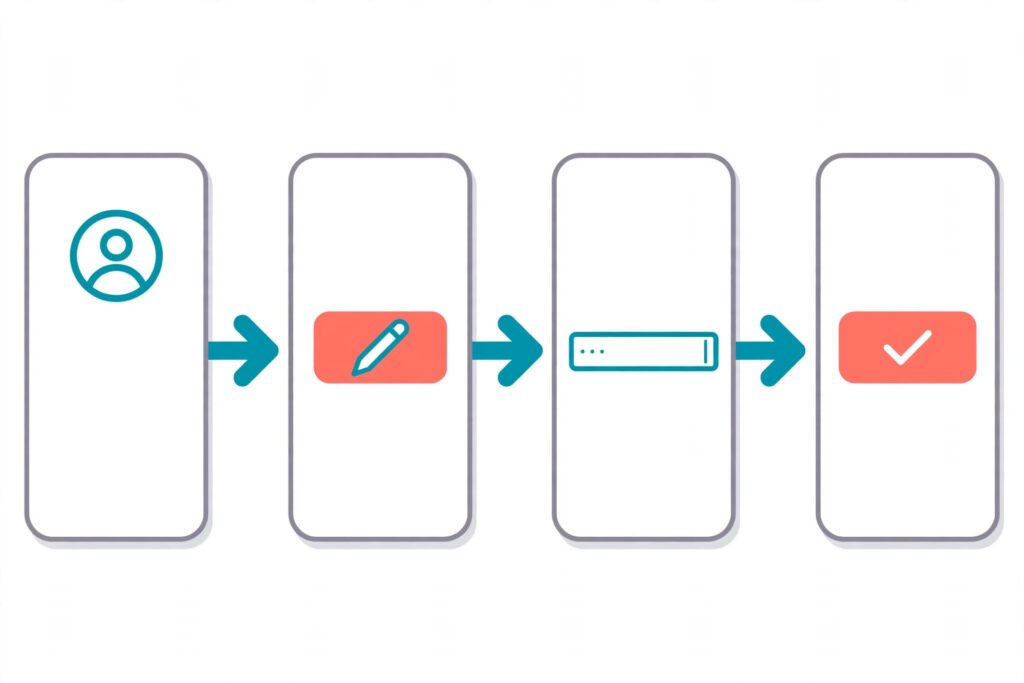
If you are learning how to change TikTok username, it takes six quick taps. Follow them in order.
- Open the TikTok app. Log in first always
- Tap the Profile icon. Bottom right corner
- Press Edit profile. Under your bio line
- Tap the Username field. Shows current handle
- Clear your old name. Hold and delete
- Type your new username. Keep it short
- Watch live availability check. It updates instantly
- Wait for green checkmark. Means name free
- Read the warning popup. Notes thirty day wait
- Tap the Save button. Top right corner
- Confirm your choice. No undo after
- Check your profile. New name shows
- Update your profile link. Share new URL
- Tell your followers. Post quick update
- Change nickname too. Optional fresh look
- Try desktop as well. Same steps work
- Update the app first. Old versions glitch
- Verify your phone number. Unlocks the change
- Avoid emojis here. They are banned
- Use letters numbers dots. Allowed characters only
- Skip trailing periods. TikTok blocks those
- Skip leading periods. Also not allowed
- Stay under twenty four. Character limit matters
- Use two characters minimum. Shortest allowed length
- Prepare one backup name. If first fails
What Are the TikTok Username Rules in 2026?
Anyone learning how to change TikTok username in 2026 should learn the rules first, since TikTok keeps the same username rules worldwide.
- Names must be unique. No duplicates allowed
- Letters work fine. A to Z accepted
- Numbers work fine. Zero to nine accepted
- Underscores work fine. Join words cleanly
- Periods work fine. Not at end
- No spaces allowed. Use underscore instead
- No hyphens allowed. TikTok rejects them
- No special symbols. Dots underscore only
- Case does not matter. Same both ways
- Taken names rejected. Try another one
- Trademarks are blocked. Brands stay protected
- Banned words blocked. Rules apply always
- One change monthly. Strict cooldown applies
- Nickname changes freely. Update it anytime
- Nickname allows thirty characters. Spaces emojis included
- URL matches username. Updates at once
- Old link breaks. It stops working
- Followers stay put. Nobody gets lost
- Videos stay put. Posts remain live
- Likes stay put. Counts do not drop
- Badge gets removed. Reapply after change
- Business accounts differ. Some fields lock
- Shop accounts differ. Extra limits apply
- Checks run live. Instant availability results
- Rules apply worldwide. Same every country
How Does the 30-Day Rule Work?
The 30 day rule is the strictest part of learning how to change TikTok username. Do not waste your one change.
- One change monthly. That is the limit
- Clock starts at save. Moment you confirm
- No official bypass. Nobody skips it
- Countdown shows in app. Check remaining days
- Typos mean waiting. Double check first
- Plan before saving. Treat it final
- Shortlist names first. Pick your favorite
- Ask a friend. Fresh eyes help
- Sleep on it. Decide with calm mind
- Say it out loud. Test for clarity
- Search it first. Check easy discovery
- Think one month ahead. Will it age well
- Trends fade fast. Avoid short lived names
- Years age fast. Twenty six gets old
- Pick timeless words. They stay fresh
- Test with nickname. It changes weekly
- Rebrand rarely. Once yearly is best
- Brands need caution. Bigger business impact
- Warn your fans. Announce the switch
- Plan link updates. Update every bio
- Pinned videos stay. They remain visible
- Old duet tags break. Links point nowhere
- Stitches keep history. New name shows
- Rule prevents abuse. Keeps names stable
- Patience beats regret. Wait when unsure

Username vs Nickname: Which One Should You Change?
Knowing how to change TikTok username starts with picking the right field: sometimes the nickname is the smarter change.
- Username is unique. Only you own it
- Nickname is shared. Anyone can use
- Username builds URL. Link uses it
- Nickname tops profile. Big bold text
- Username changes monthly. Thirty day wait
- Nickname changes weekly. Seven day wait
- Username stays simple. Displays as typed
- Nickname allows emojis. Express yourself freely
- Nickname allows spaces. Full phrases allowed
- Username enables tags. People at you
- Nickname shows in comments. Viewers see it
- Search finds usernames. Exact matches first
- Nickname search is broad. More results appear
- Keep them similar. Less confusion overall
- Brands match both. Looks more professional
- Add flair to nickname. Series titles work
- Keep username spellable. Easy to type
- Nickname holds thirty characters. Plenty of room
- No spaces in username. Rule stays strict
- Duplicates allowed in nickname. No uniqueness needed
- Both sit on profile. Top area together
- Change nickname anytime. No real limits
- Old username gets released. Others may claim
- Update bio theme. Match new vibe
- Teach followers both. Point them right
What to Do If Your New Username Is Taken?
Popular handles go fast. Use these backup moves when you learn how to change TikTok username and your first pick is taken.
- Green check means free. Safe to save
- Red error means taken. Pick another
- Add an underscore. Simple fix often
- Add dot between words. Clean separator trick
- Add your niche word. Edits cooks hikes
- Add your city. Local names stay open
- Swap word order. Often becomes free
- Try shorter version. Snappier handles win
- Use initials plus word. Personal and short
- Released names get held. TikTok pauses them
- Old names return. Eventually become free
- Check spelling twice. Avoid near misses
- Avoid lookalikes. Clones confuse followers
- Say it out loud. Memorable beats clever
- Stay under fifteen characters. Shorter is stronger
- Use dictionary words. Easy to spell
- Skip random numbers. They look spammy
- Keep single spelling. Avoid confusing doubles
- Test in search bar. Spot similar handles
- Ask friends opinion. Honest feedback wins
- Claim name elsewhere. Protect your brand
- Match Instagram handle. One name everywhere
- Match YouTube handle. Fans find you
- Keep three backups. Save time later
- Never buy handles. Scams steal accounts
How Do You Pick a Better Username Before Changing?
Learning how to change TikTok username is quick, but a good name now beats another month of waiting. Choose one with a future.
- Maya.edits. Great for editors
- Samcreates. Fits many niches
- Elliotedits. Clear and direct
- Heyitslena. Warm and personal
- Watchmira. Short and catchy
- Dailywithnova. Good daily vlogs
- Thejasperlog. Diary style feel
- Kaiinmotion. Active and visual
- Postedbyari. Tidy byline style
- Renonrecord. Documentary style vibe
- Lead with niche word. Dance cooks reads
- Add action word. Makes posts lively
- Keep it sayable. Duets need clarity
- Avoid tricky spellings. Confusion loses tags
- Prefer one word. Strongest brand signal
- Try two word combo. Easy to build
- Pick a vibe word. Soft dark funny
- Add your name. Personal touch wins
- Add your craft. Edits bakes draws
- Think five years ahead. Will it fit
- Check word meanings. Avoid bad slang
- Check other languages. Sounds fine globally
- Keep it friendly. No insults ever
- Stay family safe. Clean names win
- Match your content. Name equals niche
What Changes and What Stays the Same After You Switch?
When you learn how to change TikTok username, know this: it is safe for your content but risky for your links.
- Old URL breaks. Update it fast
- New URL works instantly. Share it everywhere
- Followers do not leave. Count stays same
- Videos stay live. No reuploads needed
- Comments keep history. Old ones remain
- Likes stay counted. Totals do not drop
- Old at tags break. Links point nowhere
- New at tags work. Use new handle
- Bio stays same. Update it yourself
- Picture stays same. No change there
- Display name stays. Unless you change
- Drafts stay saved. Untouched and safe
- Messages stay saved. Chat history remains
- Badge gets removed. Must verify again
- Instagram link breaks. Reconnect the button
- YouTube link breaks. Update that link
- Website link stays. Bio link unchanged
- QR code updates. New code generated
- Search index updates. Needs some time
- Google results lag. Old name shows briefly
- Analytics stay intact. Past data remains
- Monetization stays safe. Funds are untouched
- Live access stays. No interruption happens
- Duet chains break. Old links fail
- Announce the change. Pin a video
How Do You Fix a Username Change That Will Not Work?
When you learn how to change TikTok username, every error has a simple cause. Fix the common blocks fast.
- Grey save button. Name is invalid
- Recent change error. Wait thirty days
- Field will not open. Check account type
- Switch to personal. Unlocks the field
- Update the app. Fixes many bugs
- Clear the cache. Refreshes the app
- Restart your phone. Simple fix often
- Reinstall TikTok. Last resort move
- Try on desktop. Browser may work
- Check your internet. Weak signal fails
- Trailing period error. Remove the dot
- Leading period error. Move it inside
- Space error. Replace with underscore
- Symbol error. Keep letters numbers
- Too long error. Stay under twenty four
- Too short error. Add one letter
- Taken name error. Try listed variations
- Business account locked. Switch account type
- Shop limits apply. Check seller settings
- Contact support. TikTok’s help center can help
- Screenshot the error. Speeds up support
- Retry after hours. Servers act slow
- Use one device. Avoids conflicts
- Log out and back. Refreshes your session
- Stay patient. It gets fixed
What Are the Benefits of Changing Your TikTok Username?
A new TikTok username is more than a fresh label. Changing your TikTok username at the right time can grow your reach and fix old mistakes.
A Fresh Start for Your Brand
Old random handles like user482913 look spammy and turn new viewers away. A clean new name makes your profile look real in seconds.
Easier to Find and Share
Short handles are easy to type, say, and remember. When fans can spell your name after hearing it once, more of them will follow you.
A Name That Matches Your Content
Your old name may fit a hobby you left behind. A new name that says what you post helps TikTok show your videos to the right people.
How to Choose the Perfect How to Change TikTok Username
Say your top three names out loud and pick the one a stranger could spell after hearing once. Simple names win because duets, stitches, and comments all depend on people tagging you correctly.
Write each name next to your niche word and drop any that look confusing on screen. Then check the exact spelling inside TikTok search before you commit to a change for the next 30 days.
Expert Tips for Finding Unique How to Change TikTok Username
Skip random numbers and years, because they make a handle look auto generated and age badly. Instead, join one niche word with one personal word, and test three versions in the app before you save. If your first pick is taken, swap the word order or add a single underscore.
Think about where your name will live for the next year, not just today. Avoid trend words that fade in weeks, and keep the same handle style across Instagram and YouTube so fans can find you everywhere.
Related Name Ideas
Once you change your handle, you still need to know if the name you picked is truly free everywhere. Read our guide on how to check if a username is taken to verify your new TikTok name on every major platform before you commit for 30 days.
If you want fresh ideas instead of typing names one by one, our roundup of the best username generators compares free tools that build TikTok ready handles around your niche and style in seconds, so changing your TikTok username feels easy.
Generate Your Own
Do not guess when you can generate. Use our free username generator to build fresh TikTok ready handles around your name and niche in seconds.
Personal Experience
I once learned how to change TikTok username the hard way: I picked a name with three numbers at the end, and nobody could spell it when I said it in a video. The comments were full of people tagging the wrong account, and I felt stuck for the whole month.
Now I always test a name by saying it out loud to a friend first. If they can type it on the first try, I know it is safe to save.
FAQs
How long does it take to change a TikTok username?
Under one minute once you pick the name. Tap your profile, then Edit profile, then the Username field. Type the new handle and tap Save. TikTok checks it live and updates your profile at once. The real cost is the 30 day wait before your next change, so choose carefully.
Why can I not change my TikTok username right now?
The 30 day rule is the most common cause, locking changes to once a month. TikTok also blocks names that are taken, contain spaces or symbols, start or end with a period, or break community guidelines. Business and Shop accounts face extra limits. Switch to a personal account to unlock the field.
What characters can I use in my TikTok username?
Use letters A to Z, numbers 0 to 9, underscores, and periods. Names run 2 to 24 characters. Spaces, hyphens, emojis, and other symbols are banned, and the name cannot start or end with a period. Usernames are not case sensitive, so @CoolName and @coolname are the same handle.
Will I lose followers if I change my TikTok username?
No. Changing your TikTok username keeps every follower, video, like, and comment exactly as they were. Only the handle and profile link change. Old links and @ tags break though, so update your bio link and post a video with your new name.
What happens to my old TikTok username after I change it?
Your old username stops working at once, and old profile links break. TikTok holds the released handle briefly before freeing it for others to claim. If you want it back, you must wait out the hold, and you still cannot change again until your 30 day clock resets.
How is a TikTok username different from a nickname?
Your username is the unique @ handle behind your profile link, changing once every 30 days. Your nickname is the shared bold display name that allows spaces and emojis and changes every 7 days. Keep both similar so fans recognize you.
How often can I change my TikTok nickname?
Once every 7 days, much more often than the 30 day username rule. The nickname holds up to 30 characters with spaces, emojis, and capitals allowed. Many creators test new branding in the nickname first, then commit the winner as their username later.
What is the best username length for TikTok in 2026?
Under 15 characters, even though 24 are allowed. Short handles are easier to say in duets, type in search, and remember. Two real words joined by an underscore or period work best. Skip long number strings, which look spammy and are hard to say out loud.
Can I change my TikTok username on a computer?
Yes. Learning how to change TikTok username on a computer is easy: open tiktok.com, go to your profile, and click Edit profile, then change the username field and save. Desktop follows the same rules: 2 to 24 characters and one change per 30 days. If the app glitches, the browser is a handy workaround.
Do I lose my verification badge when I change my TikTok username?
Yes. The badge is tied to your exact handle, so changing your TikTok username removes it and you must reapply. Verified brands and creators should weigh this carefully. If the badge matters for trust, keep your current name or plan the reapplication first.
Conclusion
Changing your TikTok username is fast, but the 30 day rule makes every change count. Follow the steps, respect the rules, and pick a name you will still love next month.
With the tips above and a quick check in our generator, learning how to change tiktok username the smart way takes one minute and pays off for months.