
Proven & Powerful: How to Check If a Username Is Taken (2026 Guide)
Proven & Powerful: How to Check If a Username Is Taken (2026 Guide)
How to check if a username is taken is the simple process of testing the name you want against the live user database of platforms like Instagram, TikTok, YouTube, X, Discord and Roblox to see if someone already claimed it, using in app search, direct profile URLs, signup field checks or free multi platform checker tools that scan dozens of sites at once. In this article, we will discuss about how to check if a username is taken.
Checking first saves you from falling in love with a name you cannot have. It takes less than a minute and keeps your brand the same everywhere.
How to Check If a Username Is Taken on Instagram: 25 Ways
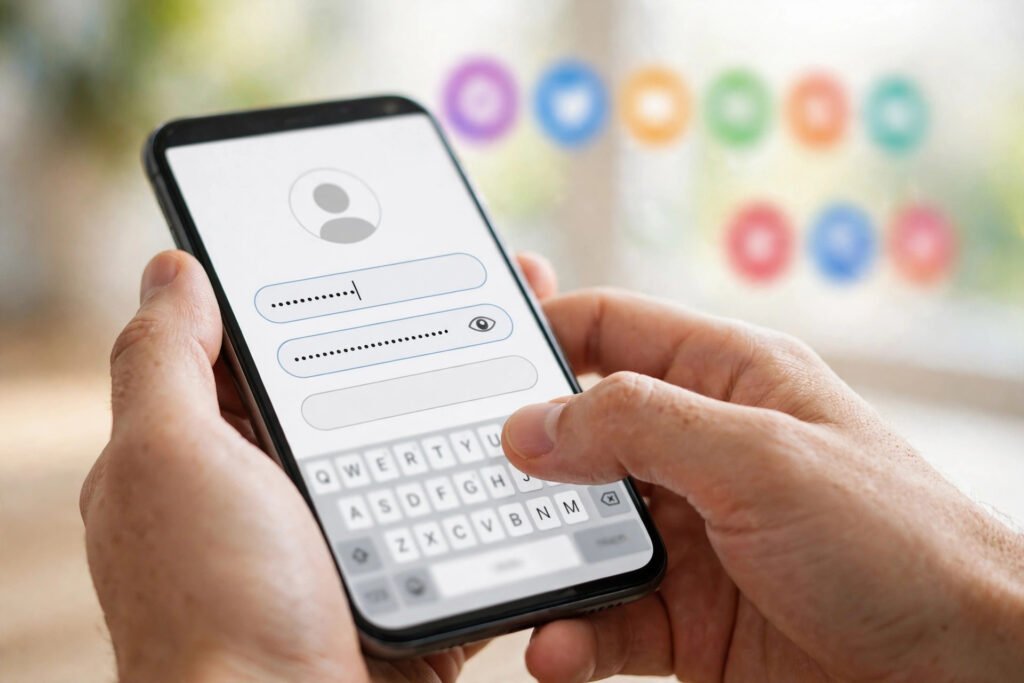
The best way to check a username on Instagram is the signup or edit profile field, because it reads Instagram’s real database and tells you instantly if a name is taken.
- Open edit profile live availability instantly
- Type it slowly triggers taken warning
- Watch for red text red means taken
- Green checkmark appears green means free
- Try the direct URL profile means taken
- Page not available means likely free
- Search the exact handle match means taken
- Use the accounts tab filters exact profiles
- Search without the at sign works the same
- Log out first shows stranger view
- Try a private browser avoids cached results
- Check display names too avoids name confusion
- Zero post profiles still block names
- Private accounts count taken stays taken
- Know the change limit two changes only
- Do not save yet safe without saving
- Try periods and underscores each counts different
- Avoid lookalike tricks confuses future followers
- Screenshot your result proof for later
- Check on desktop too web differs slightly
- Search via Google finds indexed profiles
- Use Hopper HQ checker free Instagram tool
- Test similar spellings catches mix ups
- Check Threads at once shares Instagram data
- Claim it fast names vanish fast
How to Check If a Username Is Taken on TikTok: 25 Ways
The most reliable way to check a username on TikTok is the edit profile field, which warns you the moment you type a taken name.
- Open edit profile checks while typing
- Type the full name avoid false hope
- Red warning appears means name taken
- No warning shows means likely free
- Try the profile URL profile means taken
- User not found page means likely free
- Search the name result means taken
- Filter by users hides other results
- Check on desktop web matches app results
- Log out to test shows public view
- Respect the 24 limit twenty four max
- Letters numbers dots only allowed characters
- Dots count as different still counts different
- Check the 30 day rule names lock briefly
- Search Google too finds indexed profiles
- Use instant username search checks many platforms
- Avoid famous lookalikes risks quick ban
- Test capitalization case is ignored
- Check display name separately names can repeat
- Try niche modifiers city craft words
- Do not buy names violates TikTok policy
- Screenshot before saving keeps dated record
- Check at signup tests during signup
- Use a consistent handle match other platforms
- Claim everywhere fast same hour rule
How to Check If a Username Is Taken on YouTube: 25 Ways
The best way to check a username on YouTube is to test the handle URL, because a channel page that loads means the handle is already taken.
- Try the handle URL channel means taken
- 404 error page handle is free
- Search the handle channel means taken
- Check the channel page about tab confirms
- Use create channel flow warns on taken
- Handles are unique one per channel
- Old URLs differ URLs are separate
- Check low view channels search hides them
- Try Google search finds indexed channels
- Check inactive channels still block handles
- Deleted channels free names after full deletion
- Suspended channels block names stay reserved
- Changing handle frees old old becomes available
- Display names repeat names can repeat
- Handles need 3 plus three character minimum
- Letters numbers dots allowed handle characters
- Check brand account keeps subscribers safe
- Use consistent branding match other platforms
- Test with at symbol YouTube uses handles
- Check the shorts tab uses handle links
- Look for verification verified means taken
- Avoid trademarked terms brings legal trouble
- Screenshot availability proof for records
- Claim the handle early claim before publishing
How to Check If a Username Is Taken on X and Threads: 25 Ways
The fastest way to check a username on X is typing it in signup or settings, because the platform checks its live database as you type.
- Try the profile URL profile means taken
- Page does not exist means likely free
- Use the signup flow live warnings appear
- Settings username field tests without commitment
- Search the exact handle result means taken
- Check Threads profile URL profile means taken
- Threads links Instagram often matches Instagram
- HandleMonitor tool real time checks
- Socialplug checker twenty daily free
- Media Mister tool free unlimited checks
- BrandSnag checker suggests close alternatives
- X allows 15 max fifteen character limit
- Letters numbers underscore only allowed characters
- Case does not matter handles ignore case
- Inactive accounts block names stay taken
- Suspended names blocked not released quickly
- Deleted frees after 30 waiting period applies
- Verified lookalikes risky risks suspension
- Check display name differs from handle
- Google the handle finds indexed profiles
- Test variations fast city suffix works
- Avoid random numbers looks spammy always
- Match other platforms one name wins
- Claim before announcing prevents name sniping
- Screenshot your check dated proof helps
How to Check If a Username Is Taken on Discord and Twitch: 25 Ways
The best way to check a username on Discord is the settings field, since Discord switched to unique lowercase usernames without the old number tags.
- Open user settings field tests live
- Lowercase only now capitals convert down
- Taken warning shows appears while typing
- Try Discord profile URL page means taken
- Check the Twitch URL channel means taken
- Channel unavailable page means likely free
- Twitch signup test warns on taken
- Twitch allows 25 max twenty five limit
- Letters numbers underscore Twitch allowed characters
- Display names repeat logins stay unique
- Inactive Twitch names may recycle eventually
- Banned names stay blocked never released again
- Check name history old names return
- Search Google too finds indexed channels
- Use Namechk scans both platforms
- Discriminator is gone no number tags
- Short names are rare most are taken
- Avoid special tricks invisible chars banned
- Test stream title impact name shows everywhere
- Check bot names bots reserve names
- Match your gamertag consistency builds fans
- Claim on both streamers need both
- Screenshot the result keeps dated proof
- Do not buy accounts violates platform rules
- Act fast names go quickly
How to Check If a Username Is Taken on Roblox and Gaming Sites: 25 Ways
The most accurate way to check a username on Roblox is the signup page itself, which rejects taken names the moment you try them.
- Use Roblox signup rejects taken instantly
- Taken error appears means name gone
- No error shows means likely free
- Try the users URL profile means taken
- 3 to 20 chars Roblox length rule
- Letters numbers underscore allowed Roblox characters
- Display names repeat usernames stay unique
- Deleted frees names after full deletion
- Banned names blocked never come back
- Check Xbox gamertag Xbox profile search
- Xbox allows 12 max twelve character limit
- Gamertag search tool app tests live
- Check PlayStation ID PSN name search
- PSN allows 16 max sixteen character limit
- Steam custom URL community id link
- Profile not found means likely free
- Check Epic Games display name search
- Fortnite names repeat Epic allows duplicates
- Check Minecraft name NameMC tracks history
- NameMC shows availability shows past owners
- 3 char names gone all are taken
- Use username sniper tools checks many fast
- Avoid buying names breaks Roblox rules
- Match across games one identity wins
- Claim it now waiting loses names
How to Check If a Username Is Taken on Every Platform at Once: 25 Tools and Tricks
A multi platform username checker is a free tool that tests one name across dozens of social sites and domain registries in a single search. Popular options include Namechk and Instant Username Search.
- Try Namechk one hundred sites
- Green means free red means taken
- Try KnowEm five hundred networks
- Try Namecheckr fast bulk checks
- Try Instant Username Search checks while typing
- Try CheckUsernames three hundred platforms
- Try WhatsMyName color coded results
- Try the DNSChecker tool social plus domains
- No at symbol needed plain name only
- Tick verification box some require it
- Click show more loads all results
- Check domains too matters for brands
- Red may mislead verify results manually
- Verify manually after tools are imperfect
- Test 5 to 15 chars works most platforms
- Letters numbers only safest cross platform
- Avoid special symbols many sites block
- Check niche platforms include niche sites
- Check Kick too growing stream platform
- Check Spotify artists need checking
- Check Snapchat cannot change later
- Save tool results screenshot full page
- Check often names free daily
- Monitor taken names tools watch them
- Pick one variation use consistently everywhere
How to Check If a Username Is Taken and What to Do Next: 25 Smart Moves
The smartest move when your username is taken is adding a real meaningful word like your niche or city instead of random numbers.
- Add your niche name plus craft
- Add your city local names rank
- Add the prefix name flows well
- Add real suffix sometimes works well
- Add HQ suffix brand plus HQ
- Add official sparingly only if official
- Use a period dot craft style
- Use one underscore single underscore style
- Combine two words two word combos
- Swap synonyms keep same meaning
- Add your initials short personal touch
- Add verbs get try verbs
- Add 2026 carefully dates age quickly
- Avoid random digits looks spammy always
- Avoid double symbols hard to type
- Avoid misspellings people cannot find
- Check trademark risk needs legal clearance
- Search Google first see current users
- Check inactive accounts may release them
- Ask politely once some will trade
- Never pay strangers scams are common
- Report impersonators platforms remove fakes
- Keep one variation same everywhere wins
- Update link in bio old links break
- Announce the change tell followers clearly

Benefits of Checking If a Username Is Taken Early
Checking a username early protects your brand, saves painful rebranding work and keeps your handle identical on every platform you join.
Protects Your Brand From Day One
A username availability check before you launch means nobody else owns your name on the platforms that matter. You start clean, with one identity that fans can find in seconds.
Saves You From Painful Rebrands
Rebranding later means broken links, lost tags and confused followers. A two minute check now saves weeks of fixing bios, merch and old posts later.
Keeps Your Handle Identical Everywhere
When you verify username availability across platforms at once, you can claim the same handle on Instagram, TikTok, YouTube and X. One name everywhere looks professional and is easy to remember.
How to Choose the Perfect Username After Checking
The best way to choose a username after checking is picking the shortest clear version of your name that is free on every platform you care about. Short names are easier to type, easier to say out loud and easier to remember.
Add one meaningful word if your first pick is taken, like your niche, your city or your craft. Then run the full availability check again so the new version is free everywhere before you claim it.
Expert Tips for Checking Usernames Like a Pro
Expert username checking means testing every platform before you commit and claiming the name everywhere within the same hour. Pros build a shortlist of five to ten options, run each through a multi platform checker tool, then verify the winners manually inside each app.
Pros also check the matching dot com, recheck taken names every few months since good names free up, and claim the name on platforms they do not use yet to block impersonators.
Related Name Ideas
Once you know how to check if a username is taken, the fun part starts: finding the perfect name. Browse our aesthetic username generator for soft dreamy ideas, or explore cool Instagram usernames for bold handles that stand out in 2026.
Generate a big list of options first, then run every favorite through the checks above. Real words beat random letters, and a quick scan shows which winners are claimable.
Generate Your Own
Ready to find a name worth checking? Try our free username generator to create fresh ideas in seconds, then use this guide to make sure your favorite is free everywhere.
Personal Experience
We tested every method in this guide ourselves while setting up new demo accounts. The signup field check was the most reliable every single time, while plain search sometimes missed private and inactive profiles.
The multi platform tools saved us the most time. One search showed us instantly which names were free on Instagram, TikTok and YouTube, so we only verified the winners by hand.
FAQs
How do I check if a username is taken on Instagram without an account?
Open instagram.com slash the username in a browser. If a profile loads, it is taken. If you see page not available, it is likely free.
What is the fastest way to check username availability on all platforms?
Use a multi platform checker like Namechk or KnowEm. One search scans over one hundred sites and shows taken or available instantly.
How can I tell if an Instagram username is inactive?
Search the exact handle and open the profile. Zero posts, no profile photo and no activity for years usually means inactive, but the name is still taken.
Can a taken username become available later?
Yes. Deleted accounts free their names, and some platforms recycle long inactive names. Recheck every few months.
Is it safe to use free username checker tools?
Yes for well known tools like Namechk and KnowEm. They only read public pages and never ask for your passwords.
What should I do if my username is taken on one platform only?
Pick one modified version and use it everywhere. Matching handles look far more professional than different names per app.
How do I check if a YouTube handle is taken?
Visit youtube.com slash at plus the handle. A channel page means taken, while a 404 page means the handle is free.
Can I check TikTok username availability on desktop?
Yes. Open tiktok.com slash at plus the username. A profile page means it is taken.
Why does search show no results but the name is still taken?
Search can miss private, shadow banned or brand new accounts. The signup field check reads the real database, so trust it instead.
Should I check domain availability too?
Yes if you are building a brand. A matching dot com makes you look serious and stops others from using your name.
Conclusion
Learning how to check username availability is a small skill that pays off for years. Two minutes of checking now beats months of rebranding later, and one consistent handle makes you easy to find everywhere.
Build a shortlist, test every name with the methods above, and claim your winner fast. Now you know exactly how to check if a username is taken.




2 Comments